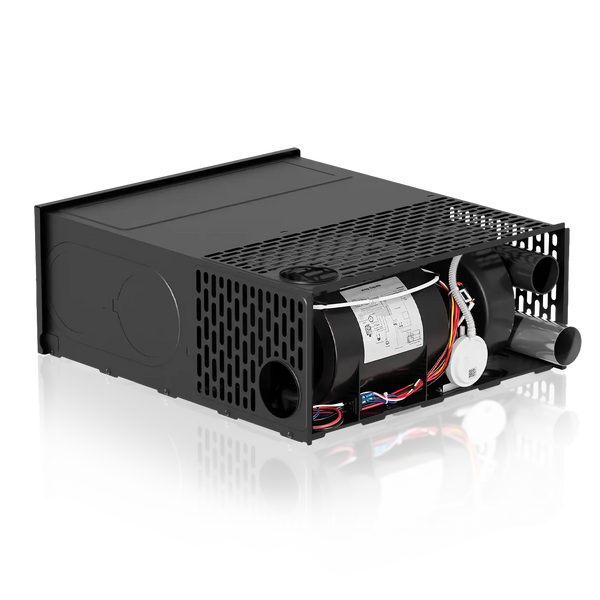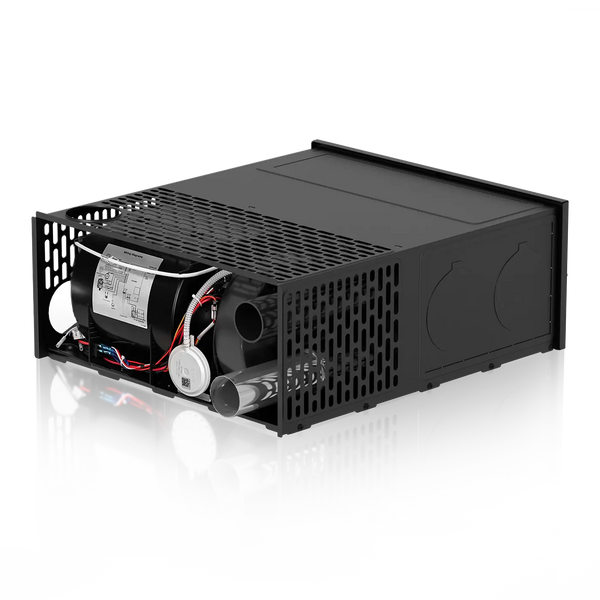


An RV furnace problem doesn’t always mean the furnace itself has failed. How the system behaves can tell you a lot about where the problem may be—and whether it’s something simple or a sign that service is needed.
This guide walks you through five basic checks to help narrow down the issue before deciding whether professional service is needed.
1. RV Furnace Won’t Turn On? Check the Thermostat and 12V Power
Start with the thermostat. Make sure it is set to furnace heating and that the temperature setting is above the current room temperature. If your thermostat controls both a heat pump and a furnace, confirm that the furnace is the selected heating source.
A typical propane RV furnace also depends on 12V DC power for the blower, ignition, and controls. If nothing happens when you call for heat, check:
- Whether the house battery has sufficient charge.
- Whether the furnace’s accessible power switch is on.
- Whether the furnace fuse has blown or its breaker has tripped.
Follow your RV and furnace instructions when checking fuses or breakers. If a replacement fuse blows or a breaker trips again, have the cause investigated instead of repeatedly resetting it.
A full propane tank does not rule out an electrical problem.
For more on furnace power requirements, read Does an RV Furnace Need Electricity? Why Propane RV Furnaces Still Need 12V Power.
2. RV Furnace Blowing Cold Air? Check the Propane Supply
A short period of airflow before ignition or after shutdown can be normal. The blower starts before the burner lights and may continue running briefly after heating stops.
If the furnace continues blowing cold air without producing heat, check that propane is available and that the LP supply valve is in the correct operating position, following your equipment’s instructions.
Pay attention to what happens during startup and note any fault code that appears. Does the burner never light, or does heating begin and then stop? These details can help narrow down the cause.
A running blower alone does not mean that all the conditions required for ignition have been met. Low voltage, an airflow-related fault, or an ignition problem can also prevent normal heating.
If the furnace repeatedly fails to produce warm air, avoid repeated restart attempts. Follow the troubleshooting instructions for your furnace, and leave gas or ignition-system repairs to a qualified professional.
3. Warm Air but Not Enough Heat? Check Airflow
If the furnace is producing warm air but the RV is still not getting comfortable, check the thermostat setting and obvious sources of heat loss first, such as an open window or a door that is not fully closed.
Next, check for airflow restrictions:
- Heat outlets blocked by rugs, luggage, furniture, or other items.
- Return-air openings covered by bedding, storage, or furniture.
- Safely accessible ducting that is crushed, sharply bent, loose, or disconnected.
Keep the required heat outlets and return-air openings open and unobstructed so the furnace can distribute heated air and receive enough return air to operate properly.
Restricted airflow can reduce heating performance and may contribute to excessive heat buildup inside the furnace.
In colder conditions, the furnace may need longer heating cycles to maintain the set temperature.
Poor heating does not automatically mean you need a higher-BTU furnace. Airflow and ducting issues should be addressed before considering a change in heating capacity.
4. Furnace Shuts Off Too Soon? Check the Fault Code
A furnace normally cycles off once the thermostat reaches the set temperature. If it shuts down unexpectedly before that point, a fault code can provide a useful starting point.
Record any fault code shown on the wired controller before resetting the furnace.
FOGATTI InstaHeat Furnace Fault Codes
For current FOGATTI InstaHeat 25K, 30K, and 35K furnaces, the fault codes are listed below. Fault codes may vary by model or version, so always refer to the manual supplied with your furnace.
| Code | What It Indicates |
|---|---|
| E1 | Unexpected flameout during operation |
| E2 | Ignition failure |
| E3 | Overheat protection activated |
| E4 | Voltage protection activated |
| E5 | Fan failure / no air-pressure signal detected |
| E6 | Unexpected flame signal detected before startup |
| E7 | Valve body failure |
| E8 | Flue-blockage protection activated |
A fault code identifies a condition the furnace has detected; it does not necessarily mean a specific component has failed. For example, an E5 code does not automatically mean the blower motor needs replacing.
Recurring E3 overheat protection can be associated with inadequate heat removal when furnace capacity and the existing ductwork are not properly matched. If the same code returns after basic checks, contact our support team or a qualified technician.
5. Check the Exterior Furnace Vent
The furnace needs clear combustion-air intake and exhaust openings.
With the furnace off and the vent cool, visually check the exterior vent for obvious obstructions such as:
- Snow.
- Debris.
- Insect nests or other foreign material.
Do not insert tools into the vent or dismantle the vent assembly as part of a basic check. If an obstruction cannot be safely addressed without disassembly, have the system serviced.
Black soot around the exhaust can indicate a combustion problem. Stop using the furnace until the cause has been inspected and corrected. Have a qualified professional inspect the system rather than simply cleaning away the soot and restarting the furnace.
When Should You Call for Service?
Arrange professional service if the furnace:
- Repeatedly fails to ignite.
- Keeps shutting down unexpectedly.
- Returns the same fault code.
- Blows a fuse or trips a breaker again.
- Shows soot or other signs of abnormal combustion.
When contacting support, it helps to provide:
- Your furnace’s complete model number.
- The fault code, if one appears.
- What happens during startup and before shutdown.
- The basic checks you have already completed.
For help with an InstaHeat furnace, contact our support team. A clear photo of the identification label and controller display can also help us understand what the furnace is reporting.
If Your RV Furnace Needs Replacing
Troubleshooting should come before replacement. If the furnace does need to be replaced, start with your existing model number and BTU/h input rating, then confirm the installation space, ductwork, airflow, and connections before ordering.
For a step-by-step fit check, read our RV Furnace Replacement Guide: Will It Fit My Camper?
Choose a replacement that fits your RV’s existing setup rather than simply selecting the highest BTU rating.
Explore FOGATTI RV Furnaces